The vast majority of websites aren't hacked by a person who picked you out specifically. They're found by automated bots looking for one of four things: an outdated plugin or theme, a weak or reused password without two-factor authentication, a compromised link in the supply chain, or something forgotten – an old user, an unused plugin, a test installation. Once they're in, the goal is rarely to break your site. It's to use it: for search engine spam, to host scam pages, to send email, or to harvest form data. That's why many people don't notice until Google does. The measures are the same whichever door was left open: keep everything updated, clean up access, have a backup you've tested, and make sure someone is actually keeping watch.
It’s rarely about bad luck
When a Norwegian business gets hacked, the most common explanation is “we were unlucky.” The numbers suggest otherwise.
63% of Norwegian businesses that suffered a security breach believed it was down to chance or bad luck.
The Mørketallsundersøkelsen survey, as cited by the director of digital security at the Norwegian Business and Industry Security Council (NSR), March 2025
The director who presented the figure came to this conclusion: security is rarely about bad luck. Cyberattacks happen because businesses have vulnerabilities, and because attackers know what to look for. Systems that aren’t updated, reused passwords and missing routines are not coincidences.
That’s good news. You can’t do anything about bad luck. You can close four specific doors.
The four ways in
Almost every breach on small and mid-sized Norwegian websites goes through one of these. They’re sorted by how often we see them.
Door 1: Outdated plugins and themes
This is by far the most common. And it’s easy to underestimate, because it doesn’t feel like a security decision – it feels like an update you didn’t get around to.
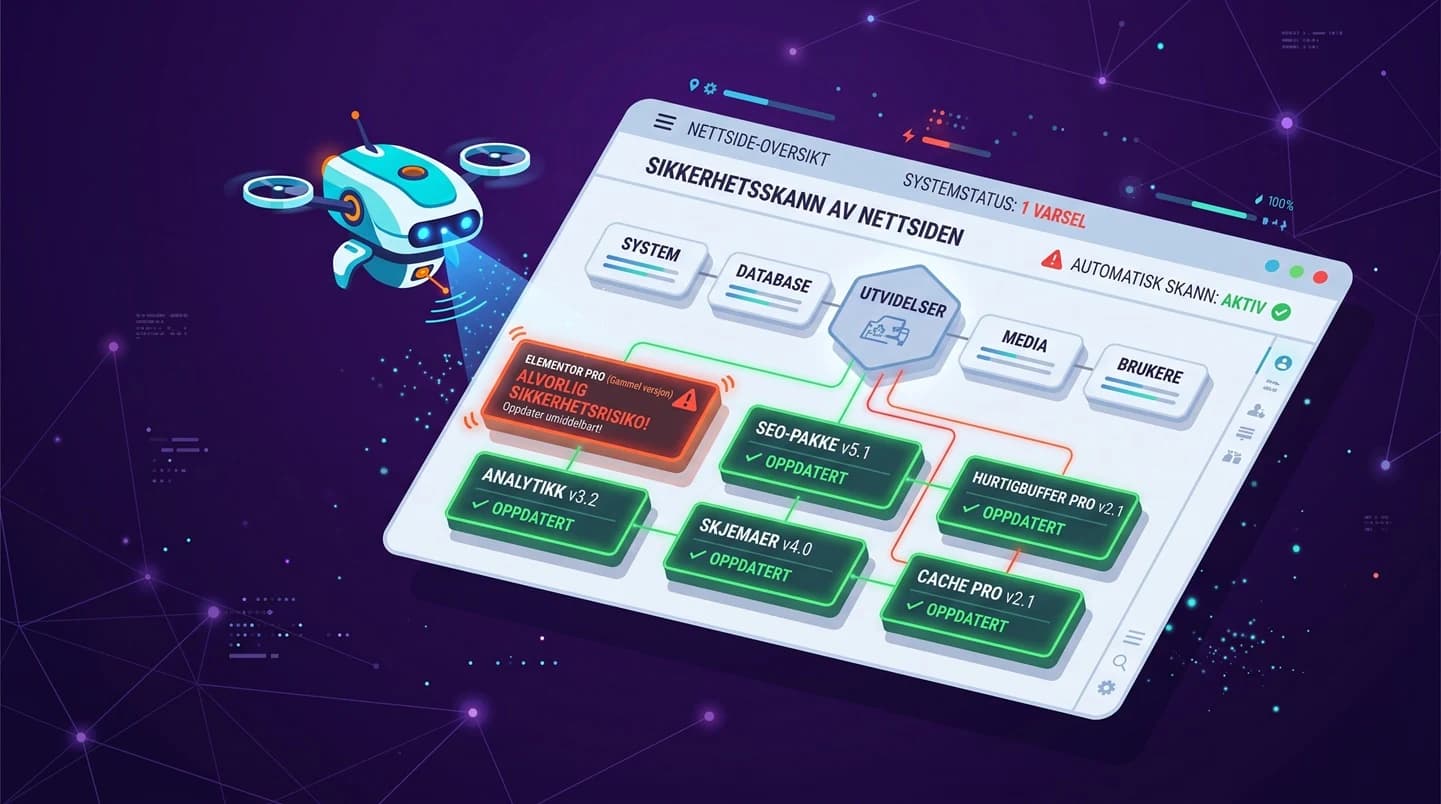
Here’s how it works in practice: a vulnerability is found in a plugin. The developer makes a fix. The vulnerability is made public, with a description of what’s wrong. At that same moment, everyone else knows what to look for too – and automated bots start scanning the web for websites that haven’t updated yet.
The scale is worth knowing. In 2025, 11,334 new vulnerabilities were registered in the WordPress ecosystem, an increase of 42 percent from the year before. 91 percent of them were in plugins, not in WordPress itself. And almost half – 46 percent – were still unpatched when they became public.
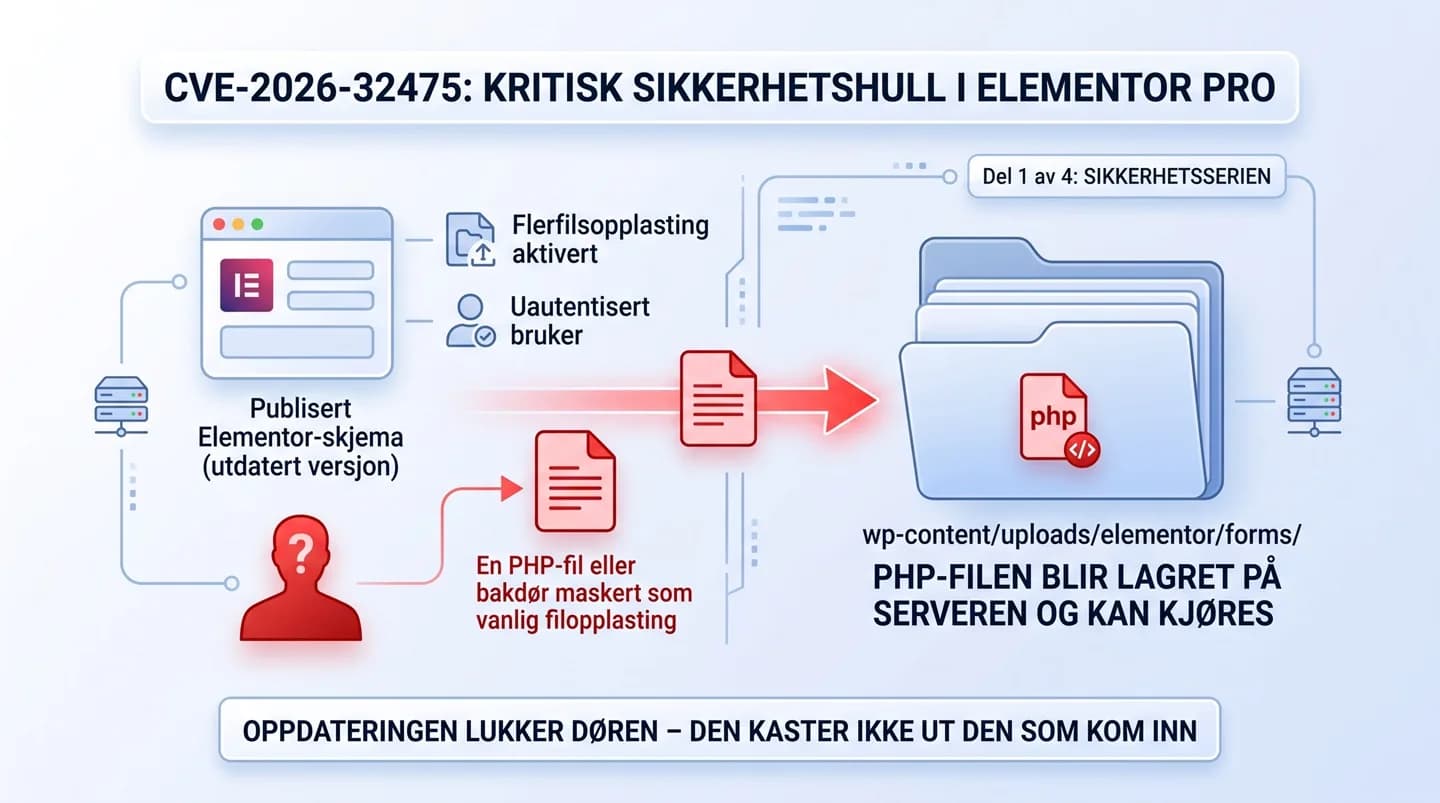
A recent, concrete example is the vulnerability in Elementor Pro that was patched in August 2026. We’ve written a separate review of it: Critical security hole in Elementor Pro – is your website affected?
- How to close it: Update WordPress, themes and plugins regularly – not “when we get around to it.” Delete what you don’t use instead of just deactivating it: the files stay on the server either way. And be critical about what you install in the first place.
Door 2: Passwords and access
The second most common, and the most underestimated. The attacker doesn’t need to crack your password. He just needs to find it somewhere else.
Big services leak data at regular intervals. If your email address and password are in one of those leaks, the combination ends up in lists that are automatically tried against thousands of other logins – including your WordPress site. If you’ve used the same password in two places, that’s enough.
The other problem is roles. Many Norwegian business websites have five, six or ten administrators, because it was easiest to give everyone full access. An administrator can install code. An editor can only write content. Most people who log in to a business website need to write content.
- How to close it: Turn on two-factor authentication for everyone with administrator access – this alone stops almost this entire category. Use unique passwords, ideally from a password manager. Give people the lowest role they actually need.
Door 3: The supply chain
The hardest to protect yourself against, because you do everything right and still get hit.
A plugin or theme you use is attacked itself – or the developer sells it on to someone with other intentions. The next update you install, the one you did completely by the book, contains code that shouldn’t be there. The same goes for your web host: if your website sits on a shared server with many others, a breach at the neighbor can have consequences for you.
This isn’t common, but it happens, and it’s worth knowing about – not least because it’s the one category where “we were unlucky” might actually be true.
- How to close it: Use as few plugins as possible, and choose ones with many users and active maintenance behind them. Check whether the vendor still updates the product. Choose a web host that takes security seriously, and that you can get answers from in Norwegian.
Door 4: What’s been forgotten
The most typical for businesses that have had their website for a few years and changed vendors along the way.
The administrator account of the agency you stopped working with in 2023. The FTP user a freelancer was given. The test version of the website sitting in a subfolder that hasn’t been updated since it was made. The plugin you tried for two weeks and never deleted. None of these are dangerous in themselves. The point is that nobody is looking at them.
Attackers systematically look for exactly this, because forgotten things don’t get updated – and because nobody notices when they’re being used.
- How to close it: Go through the user list at least once a year, and always when someone leaves or a partnership ends. Delete test installations. Remove plugins and themes you don’t use. Check which domains and subdomains actually point somewhere.
What do they really want with a small Norwegian business website?
This question always comes up, and it’s a fair objection. The answer is that the attacker usually isn’t interested in your business at all. He’s interested in your server, your domain and the trust Google has in you.
| What they use the site for | What it means for you |
|---|---|
| Search engine spam | Hundreds of hidden pages about completely different products are added to exploit the domain’s ranking. Often the first thing Google discovers – and what destroys your visibility. |
| Scam pages | A fake login page is placed in a subfolder on your domain. Victims see yourcompany.no in the address bar and trust it. |
| Sending email | Your server is used to send spam. The result is that your domain ends up on blocklists, and perfectly normal emails from you stop arriving. |
| Redirecting traffic | Visitors – often only those coming from mobile or from Google – are sent to another website. You don’t see it yourself, because you’re logged in. |
| Skimming form data | Code that quietly copies what people type into contact forms. This is what triggers privacy obligations. |
| Backdoor for later | Nothing happens now. The access is sold or used six months from now. That’s why removing what you can see isn’t enough. |
Notice that none of these involve the site stopping working. That’s the whole point. An attacker who breaks your site gets discovered right away. One who leaves it exactly as it is can stay there for months.
The signs you can spot yourself
One sign on its own doesn’t necessarily mean a breach. Several at once should be investigated.
- Administrator users you don’t recognize, or users created at times when nobody was working.
- Unknown pages in Google. Search
site:yourdomain.noand scroll through. If pages show up in other languages, or about products you don’t sell, that’s a classic finding. - Warnings in Google Search Console about security issues, or suddenly thousands of new pages in the indexing queue.
- Visitors being redirected – ask someone to check from mobile, in a private browser window, via a Google search.
- Email from you landing in spam with recipients where that never happened before.
- The site is suddenly slow without you changing anything.
- Files on the server that don’t belong, especially PHP files in upload folders.
- Plugins that deactivate themselves, or settings that change back.
What it actually costs
The cleanup itself is rarely the most expensive part. It’s the consequences around it.
- Visibility in Google. If the site is flagged as harmful, you effectively disappear from the search results until the problem is fixed and Google has reviewed the case again. If the attacker managed to get spam pages indexed, cleaning up afterwards takes time too.
- Trust. A red warning page in the browser when a customer clicks through is hard to recover from. The same goes for email that doesn’t arrive.
- Time. A proper cleanup takes longer than people think, because the main job isn’t removing what you see – it’s finding out what was done while the door was open.
- Privacy. If personal data is involved, obligations follow.
From practice: A pattern we see again and again when we take over a website after a breach: a plugin nobody had updated in over a year, and an administrator user that no longer belonged to anyone in the company. Two of the four doors, both open, both entirely possible to close in advance. The attack itself is rarely advanced. It’s the cleanup afterwards that takes time, precisely because nobody can say for sure what was done in the meantime.
Privacy: the obligation many forget
Contact forms collect names, email addresses, phone numbers – sometimes attachments with far more. If it’s likely that such data has gone astray, this is no longer just an IT problem.
Under the Norwegian Personal Data Act and Article 33 of the GDPR, a personal data breach must be reported to the Norwegian Data Protection Authority (Datatilsynet) without undue delay, and where possible within 72 hours of becoming aware of the breach. If the breach is unlikely to result in a risk to the people affected, the reporting obligation doesn’t apply – but that assessment should be made deliberately and documented, not skipped in a hurry.
We’re a digital agency, not lawyers. If you’re in doubt, contact Datatilsynet or a legal adviser.
How to close the four doors
In order of priority. The first two remove the most risk per effort.
- Turn on two-factor authentication for all administrators. Takes fifteen minutes. Removes almost all of door 2.
- Set up a fixed update routine. Not “when we remember” – a fixed day, with someone responsible. This is door 1, the most common one.
- Clean up users and roles. Remove accounts that don’t belong to anyone. Move most people down to editor.
- Delete what you don’t use. Plugins, themes, test installations, old subdomains. Deactivated is not the same as removed.
- Make sure you have a backup you’ve tested. A backup nobody has tried to restore is an assumption. Test a restore once, and then you’ll know.
- Set up monitoring. You need to be told that something is happening – not discover it because a customer calls.
- Decide who is responsible. The most common gap isn’t technical. It’s that nobody owns the task.
Point 7 is why a maintenance agreement exists. Not because someone “keeps an eye on things” in an abstract sense, but because updates actually get done, the backup actually gets tested, and someone actually looks at the site when a vulnerability that affects you shows up.
Four things you shouldn’t do
This advice goes against a lot of what you’ll read online – and that’s deliberate. These four mistakes make the damage bigger, not smaller.
Don’t do this:
- Don’t delete the unknown user first. It’s your evidence of when and how they got in. Take a screenshot and note the time before you touch anything.
- Don’t restore an old backup as your first move. If the backdoor was already there when the copy was taken, you just bring it back – and you’ve wiped the traces at the same time.
- Don’t just remove what you see. Backdoors rarely come alone. If one file is found, the rest of the installation has to be reviewed.
- Don’t assume updating cleans things up. Updating closes the hole. It doesn’t remove what already came in through it.
Do this instead:
- Take a full copy of the site as it is now, infected or not – it’s the starting point for finding out what happened
- Note the times: when you noticed it, when the user was created, when the files changed
- Change all passwords: WordPress, web host, FTP, database, email
- Go through the entire installation, not just the visible finding
- Assess the privacy obligation before 72 hours have passed
Get a free security check of your website
Not sure whether any of the four doors are open on your site? We go through updates, user access, backups and known vulnerabilities – and give you a concrete list of what should be cleaned up first. No strings attached.
Get a free security check · or call +47 919 25 014
If you suspect something has already happened, get in touch before you make any changes – traces can disappear. If you want to avoid ending up here again, ongoing website maintenance and support is what actually keeps the doors closed over time. We’ve also written about why many WordPress websites fail – lack of maintenance comes up there too.
Sources: The figures for vulnerabilities in the WordPress ecosystem in 2025 – 11,334 registered vulnerabilities, a 42 percent increase, 91 percent in plugins – come from Patchstack, State of WordPress Security in 2026. The reporting obligation and the 72-hour deadline follow from Article 33 of the GDPR; see Datatilsynet: Report a breach. This article was last updated on August 23, 2026.
Frequently asked questions
How does a website get hacked?
In practice through one of four ways in: an outdated plugin or theme, a weak or reused password without two-factor authentication, a compromised link in the supply chain, or something forgotten – an old user account, an unused plugin, a test installation. The vast majority of attacks are automated: bots scan the web for known weaknesses rather than picking out individual businesses.
Is WordPress insecure?
No, but it's extremely widespread, which makes it a profitable target for automated attacks. The vast majority of vulnerabilities don't arise in WordPress itself either, but in plugins: in 2025, 91 percent of the registered vulnerabilities were in plugins. A well-maintained WordPress site is safe. One that nobody updates is not.
Why would anyone attack my small business website?
Because they're usually not after your business, but after the server, the domain and the trust Google has in it. Sites are used for search engine spam, to host scam pages, to send email, to redirect visitors, or as a backdoor that gets sold on. The size of the business is irrelevant when the attack is automated.
How do I know if my website has been hacked?
Look for administrator users you don't recognize, unknown pages when you search site:yourdomain.no in Google, warnings in Google Search Console, visitors being redirected, email from you landing in spam, a suddenly slow site, or PHP files in upload folders. One sign on its own is rarely enough, but several at once should be investigated.
Is a security plugin enough?
It helps, but it's not the same as maintenance. A security plugin can block known attack patterns and alert you to changes. It doesn't update your plugins, remove an old administrator user, or judge whether a file belongs. Most of the breaches we see come down to something an update would have stopped.
How often should the website be updated?
Security updates should go in as quickly as possible – vulnerabilities are often exploited shortly after they become public. A practical routine for most Norwegian SMBs is a fixed monthly review, with critical vulnerabilities handled right away as the exception. What matters most is that there's a routine and someone responsible, not exactly which day of the month it happens.
Do I have to notify Datatilsynet if my website is hacked?
If the breach involves a personal data breach – for example, form data may have gone astray – it must be reported to Datatilsynet (the Norwegian Data Protection Authority) without undue delay, and where possible within 72 hours of becoming aware of the breach. If the breach is unlikely to result in a risk to the people affected, the reporting obligation doesn't apply, but the assessment should be documented. If you're in doubt, contact Datatilsynet or a legal adviser.
What does it cost to clean up a hacked website?
It depends entirely on the scope: how long the access has been there, how many files are affected, and whether there's a usable backup from before the breach. The cleanup itself is rarely the biggest cost – lost visibility in Google and lost trust are usually more expensive. We look at the situation and give you a concrete estimate before we start, so you know what you're getting into.
We review your website for free and tell you what we'd change — in a three-minute video.
Writes about websites, security and visibility for Techspace. Questions about this article? Email us at post@techspace.no.